

Ignite AI, your private co-author
Draft, rewrite, brainstorm, and find sources without ever leaving your manuscript. Suggestions stream inline; nothing is uploaded, indexed, or trained on.
 EmberAvailable now
A Mac-native text editor for writers, built around Ignite AI: a quiet collaborator that learns your voice and stays out of your way.
For macOS
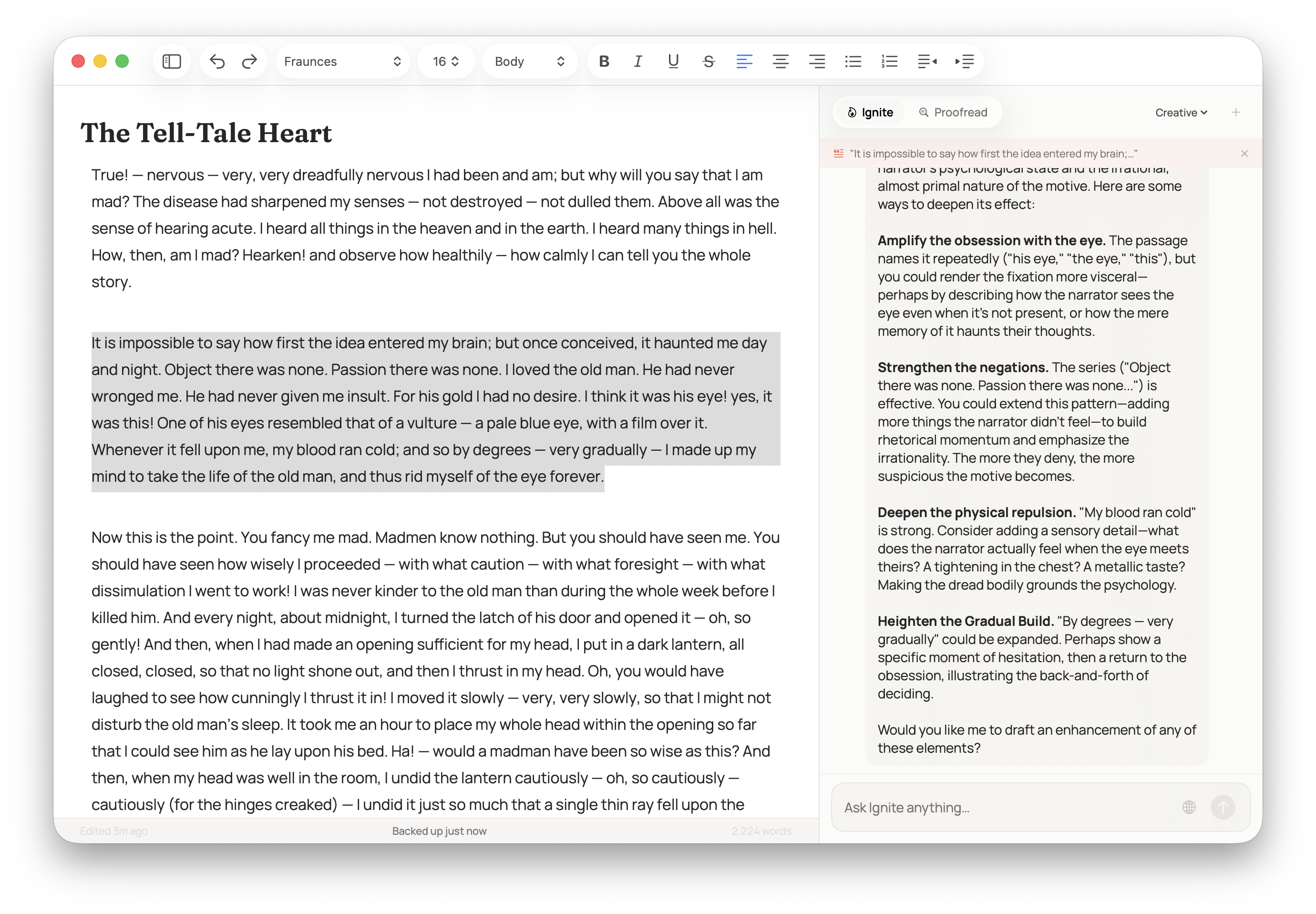
What Ember does
Draft, rewrite, brainstorm, and find sources without ever leaving your manuscript. Suggestions stream inline; nothing is uploaded, indexed, or trained on.
Ember studies the prose inside each project on-device, so Ignite's suggestions match your rhythm and word choice, and that knowledge never leaves your Mac.
Native integration with Apple Intelligence on supported Macs means fast, local generation that respects the platform you already trust.
Local-first by default. No telemetry on your writing, no cloud sync of drafts, no third-party model providers reading your words.
Look things up without breaking flow. Ember surfaces citations and quotes you can drop in, with the source link kept right beside them.
Project-level outlines, chapter views, and a reading mode tuned for the cadence of essayists, Substackers, and novelists.
Catch typos and tighten sentences without flattening your style. Every change is a suggestion you can accept, refine, or wave off.
Every action lives behind a shortcut. Ignite, Proofread, and navigation are all one chord away. No menu hunting in the middle of a sentence.
A closer look
01
A calm, full-bleed editor. No floating toolbars, no AI nudges. Just your draft.
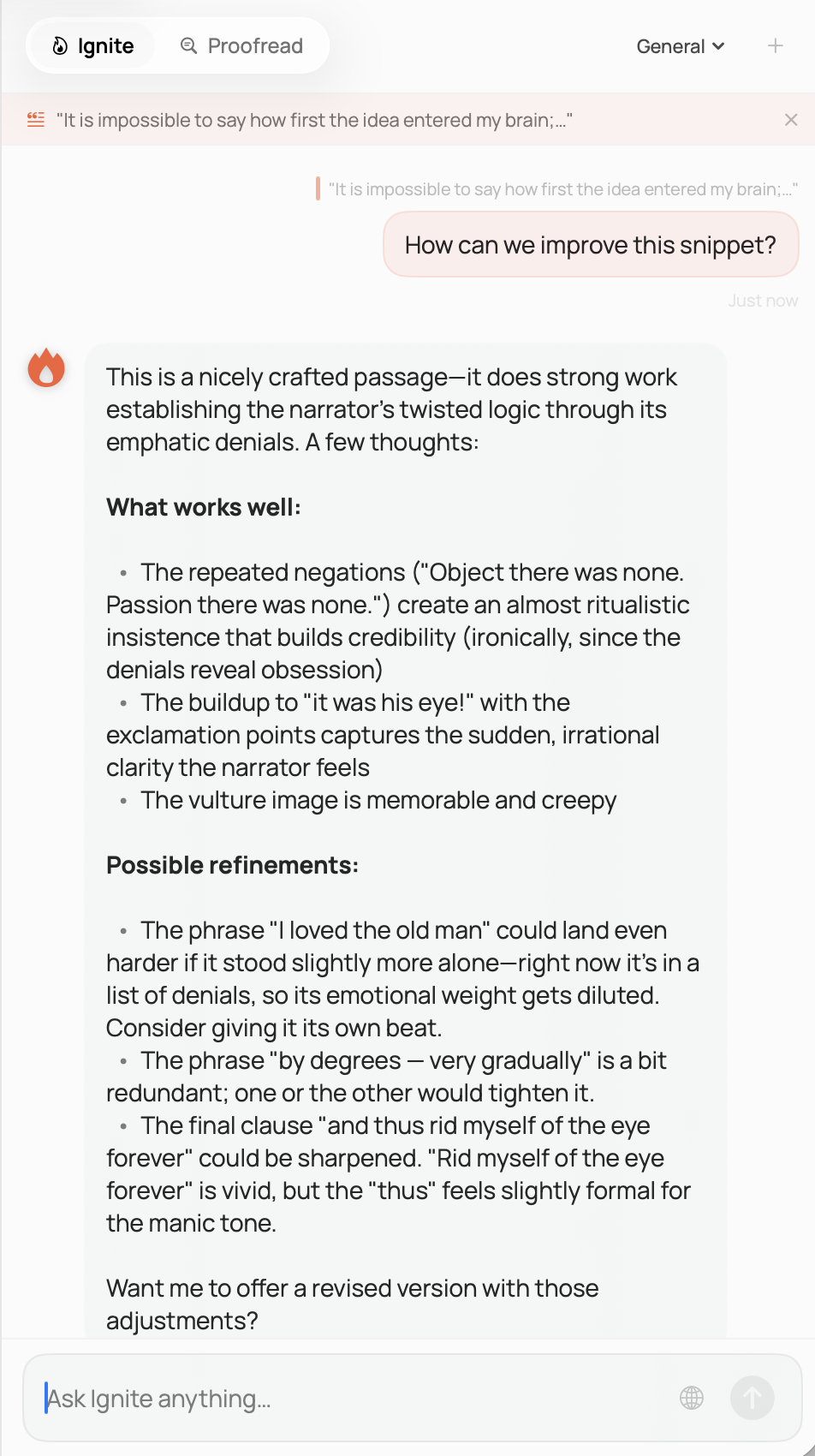
02
Ignite AI lives a keystroke away. Ask for a draft, a rewrite, or a fresh angle in your voice.
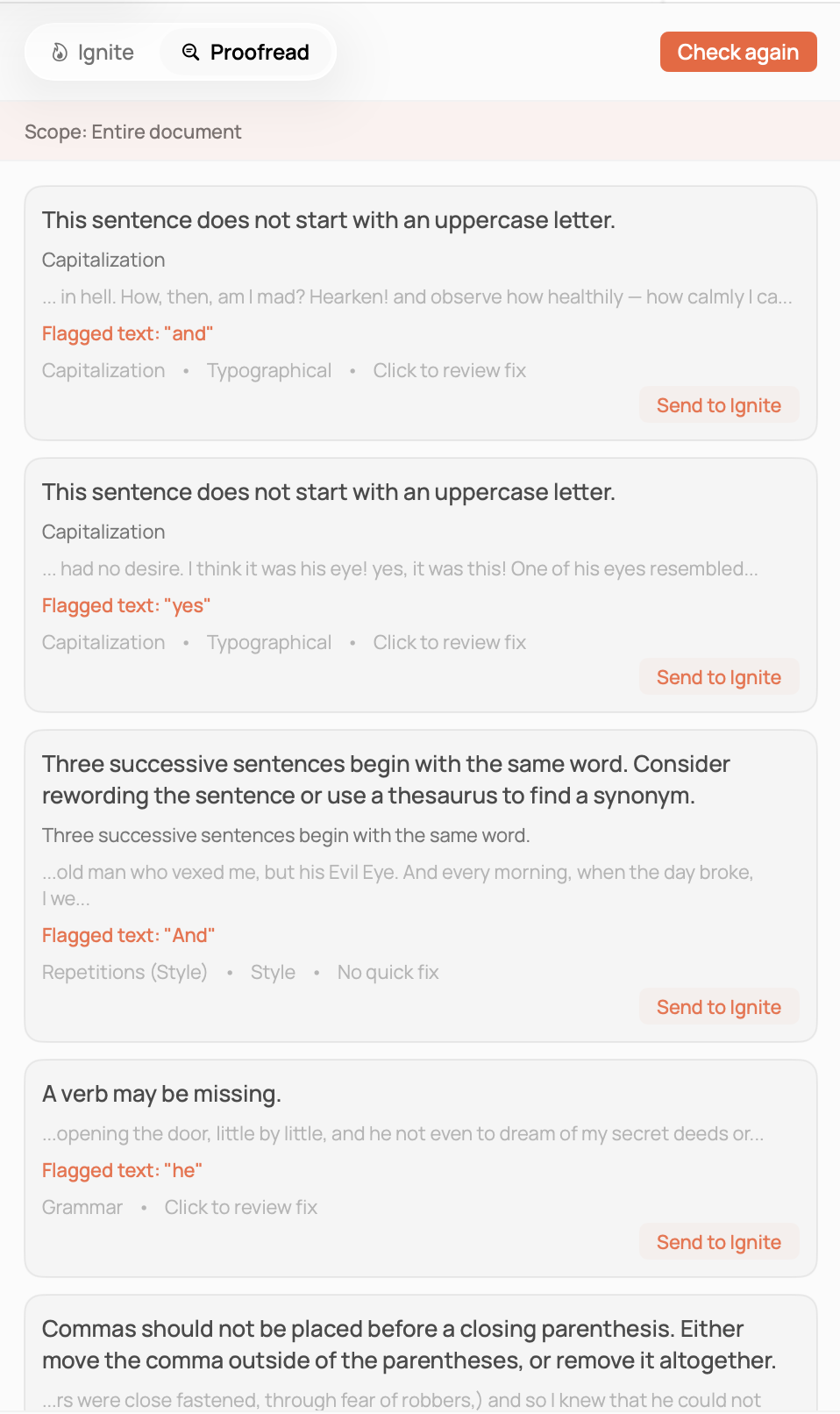
03
Proofread surfaces the changes a careful editor would make. Every one is yours to accept or reject.
Create an Accend account once and use it across every app we make. Starting with Ember.